Skip to content
WorkFlint
Open menu

Build sprints

Build It With WorkFlint Sprint

Bring one messy process. Leave with a working tool and a production-readiness plan.

Sprint shape

Scope the process
Build the first working version
Review risks and next steps

A working first version is useful. A tested, documented and supported tool is better.

Every sprint produces: a working first version · a clearer process · tested workflow logic · known risks · handover notes · and a route to production, training and support.

Sprint timeline

What happens during a Build Sprint

A Build Sprint is designed to create a useful working version, not to skip proper testing, security review or production approval.

Before the sprint

  • Choose one process to work on
  • Gather examples and current process notes
  • Confirm users and desired outcome
  • Identify data and access constraints
  • Agree first-version scope

Phase 1: Shape the build

  • Map the process from start to end
  • Define the users and their needs
  • Create the build brief
  • Agree acceptance criteria
  • Identify risks and constraints

Phase 2: Build the tool

  • Create the first working version
  • Review with the client
  • Refine the workflow and UI
  • Test key paths and edge cases
  • Document what was built

Phase 3: Handover

  • Capture known limitations
  • Agree production-readiness actions
  • Define support or improvement options
  • Hand over documentation
  • Confirm next steps

Demo gallery

See what a sprint can create

Each demo shows a realistic first version of a tool WorkFlint could help you scope, build and prepare for production review. These are not throwaway prototypes. A sprint should give you a working first version, a clearer process, tested workflow logic, known risks and a route to handover, training and support.

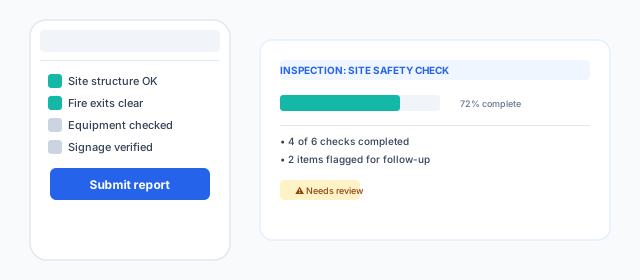
Mobile-friendly form with structured checklists and PDF report output
FormsFeatured

Inspection form app

The pain

Inspection notes are captured on paper and typed up later.

The outcome

Mobile form with checklists, photo attachment and instant report output.

Production route

Offline use, evidence storage and approval workflow.
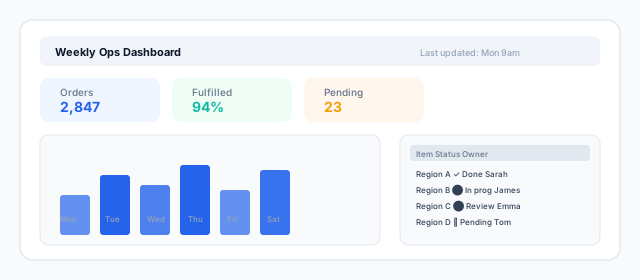
Structured data input with summary views and exception flags
DashboardsFeatured

CSV dashboard

The pain

Weekly reporting depends on copy-and-paste spreadsheets.

The outcome

KPI cards, bar charts, filters and an exception queue.

Production route

Data validation, access control, testing and handover.

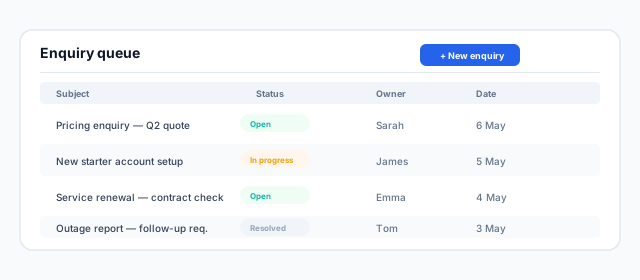
Intake form with categorisation and ownership tracking
PortalsFeatured

Customer enquiry portal

The pain

Customer enquiries arrive across too many channels.

The outcome

Single queue with prioritisation, ownership and status tracking.

Production route

Spam protection, CRM hand-off and response SLA.

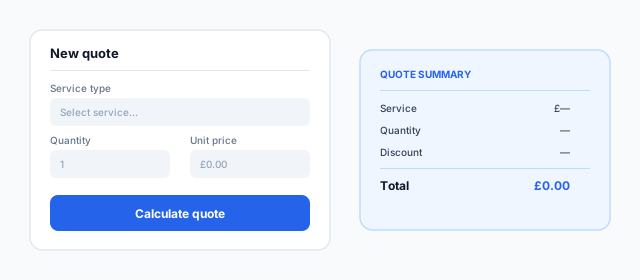
Guided input form with pricing rules and audit trail
Finance

Quote calculator

The pain

Quotes depend on manual calculations and copied pricing rules.

The outcome

Guided calculator with pricing tiers, discounts and quote summary.

Production route

Version control, approval workflows and audit trail.

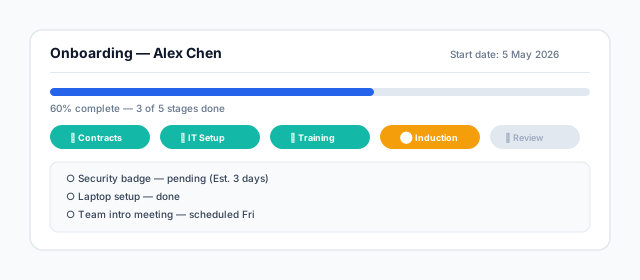
Shared tracker with ownership, due dates and progress visibility
HR

Onboarding tracker

The pain

New starter tasks are scattered across emails and spreadsheets.

The outcome

Shared progress view with task ownership and deadline tracking.

Production route

Personal data handling, retention and role-based access.

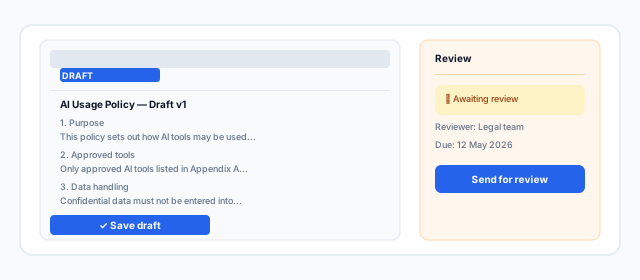
AI-assisted drafting workflow with human review and approval
Workflows

Policy generator

The pain

Drafting policies takes too long and outputs vary.

The outcome

Templated drafts with review sidebar, status and approval flow.

Production route

Legal review, version control and document retention.

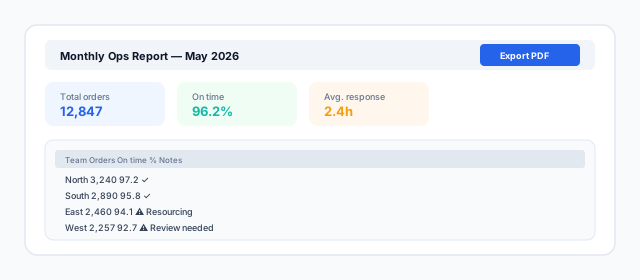
Repeatable reporting flow with generated summaries and checkpoints
Dashboards

Internal reporting tool

The pain

Management reports are rebuilt manually every period.

The outcome

Repeatable report with KPIs, data table and export to PDF.

Production route

Data quality checks, refresh process and distribution.

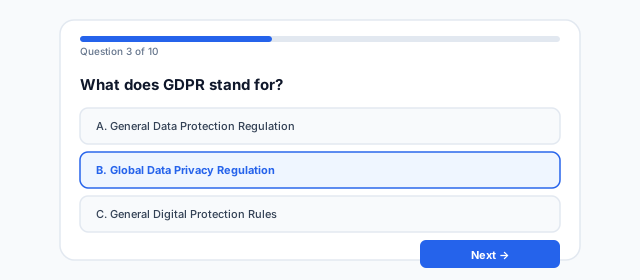
Assessment tool with results, feedback and team reporting
HR

Training quiz

The pain

Training is delivered but understanding is not checked.

The outcome

Multiple-choice quiz with scoring, pass/fail and retry.

Production route

Result storage, accessibility and update ownership.

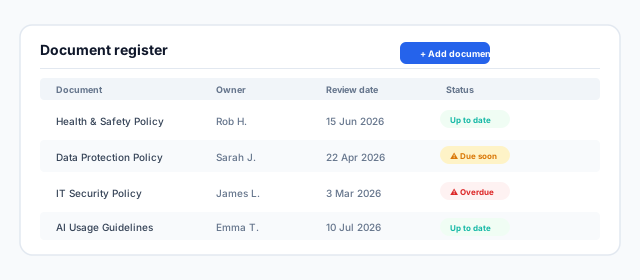
Central register for ownership, review dates and actions
Workflows

Document tracker

The pain

Important documents live in different places and review dates are missed.

The outcome

Register with status badges, search and expandable notes.

Production route

Permissions, naming standards and reminders.

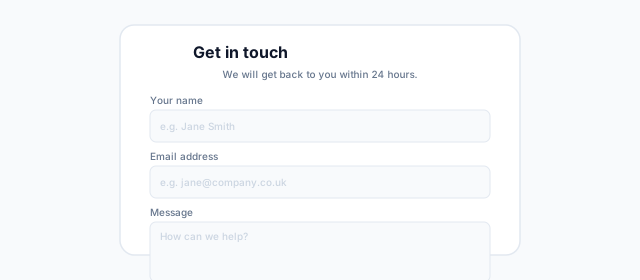
Structured intake with status visibility and history
Portals

Simple customer portal

The pain

Customers have no single place to submit or track requests.

The outcome

Contact form with submission history and status updates.

Production route

Data protection, import/export and duplicate handling.

The sprint process

Before, during and after

The sprint is designed to produce something real, not just a prototype that gets abandoned.

1

Before

Pick one process, gather examples and agree what a useful first version must do.

2

During

Build with AI assistance, review outputs, test against real scenarios and keep decisions visible.

3

After

Receive a working prototype, production-readiness plan and recommended next support route.